
Anúncios
Could a simple calendar fix the chaos of modern work?
They will learn a practical, calendar-first approach that turns priorities into visible commitments, not vague intentions.
The guide explains how different time blocking methods help people protect focus, plan the day, and improve output without relying on willpower alone. It shows a realistic system that makes the next best task obvious, not a rule to schedule every minute perfectly.
Readers get a preview of core methods: deep work blocks, task batching, meeting batching, buffers, and personal blocks, and how these pieces fit into one clear strategy.
This article uses a friendly, step-by-step format so they can implement the system immediately in Google Calendar or Outlook. It also compares time blocking vs timeboxing vs time tracking to help pick the right approach for their job and goals.
Anúncios
What time blocking is and why it works today
A simple calendar habit can trade chaos for clear, scheduled action.
Time blocking is a calendar-based time management approach that divides the day into labeled slots for email, deep projects, breaks, lunch, and even exercise.
Using a calendar beats a plain to-do list because it shows when tasks happen, not just what exists. Pre-deciding the next slot reduces decision fatigue and gives people more control over how the day flows.
A few practical reasons it works
- Less multitasking: Grouping similar tasks into focused time blocks keeps the brain oriented.
- Fewer decisions: With the calendar set, they stop re-prioritizing every few minutes.
- Built-in recovery: Scheduling breaks and lunch makes rest non-optional and fights burnout—71% of knowledge workers reported burnout and 32% said they couldn’t switch off.
- Match work to energy: Place hard tasks in peak hours and lighter work in low-focus parts of the day to make the approach work today.
The real cost of distractions, meetings, and constant reprioritizing
Longer workdays haven’t translated to better delivery; fragmented attention is the real drag on results.
Recent research shows 87% of knowledge workers are working two hours later each day than in 2019, yet over one-quarter of deadlines are missed weekly. That gap makes it clear: more hours do not equal better outcomes.
Why knowledge workers are working later and still missing deadlines
Messages, scattered meetings, and shifting priorities break focus. People chase small urgencies and lose larger goals.
How interruptions can take up to 25 minutes to recover from
A quick Slack ping or unplanned call may feel brief. UC Berkeley research shows recovery can stretch to about 25 minutes before one regains flow.
How task switching can drain up to 40% of productive time
The APA finds that switching between tasks can cut productive output by as much as 40%. Each micro-switch adds hidden cost.
- Meetings scattered across the day force repeated ramp-up and ramp-down.
- Interruptions create long recovery tails that fragment the day.
- Nhiệm vụ switching quietly consumes large chunks of useful work.
A calendar-first approach offers a direct response: it replaces reactive reshuffling with planned protection for what matters. The next section outlines core principles that reduce these costs without heroic willpower.
Time blocking productivity: the core principles behind better focus
Making work visible on a calendar turns intentions into real commitments. This section covers two simple habits that make focus practical and repeatable for daily planning.
Visually protecting blocks so work can’t be scheduled over
Put blocks on the calendar so others see them and the slot reads as a commitment. When a block is visible, it becomes harder to book over and easier to defend.
Visual protection also lowers the urge to fill gaps with low-value tasks. An empty slot often invites busywork; a labeled block sends a clear message: this period is for focused work.
Grouping similar tasks to reduce context switching
Batch similar tasks so the brain stays in one mode longer. Group approvals, admin, follow-ups, and expense reports into one block instead of scattering them.
- Approvals and sign-offs
- Admin and forms
- Follow-ups and short replies
Start from a prioritized list, then translate items into blocks that match realistic slots on the calendar. Blocks can move, but the intention stays protected.
“Protecting visible blocks and batching like tasks reduce the mental cost of deciding what to do next.”
These two principles—visible protection and task batching—cut context switching and make focused work the default.
Choose the right time blocking method for the work they do
Not every task needs the same slot—select blocks that fit the real work at hand. Choosing types based on actual duties helps the calendar support, not restrict, daily flow.
Deep work blocks for high-impact projects
Deep work blocks are longer, protected stretches for high-impact projects like writing, analysis, coding, or strategic problem solving.
Place these when energy is highest so complex thinking gets uninterrupted focus.
Task batching blocks for routine items
Task batching groups similar low-friction work such as emails, admin, and approvals into one slot.
This prevents routine things from leaking across the day and keeps attention from fragmenting.
Meeting batching to avoid a “swiss cheese” schedule
Cluster meetings so they form a single block rather than many small dents in the schedule.
Batching meetings preserves long stretches for real production and reduces wasted ramp-up time.
Buffer blocks as planned shock absorbers
Use buffer blocks to absorb urgent requests or spillover so one surprise does not collapse the plan.
Buffers keep the schedule resilient and make the rest of the day more predictable.
Personal blocks for lunch, recovery, and self-care
Protect short recovery breaks, a walk, and lunch as non-negotiable personal blocks.
These breaks help sustain energy and prevent burnout, especially for remote roles.
- Rule of thumb: if work needs heavy thinking, schedule a longer focus block.
- If it’s repetitive: batch it.
- If it’s unpredictable: add a buffer.
“Design block types around real tasks so the calendar helps them do the work that matters.”
Set up a time-blocking system that actually fits their day
Start by turning a messy to-do pile into a short, prioritized list you can actually schedule. This step makes planning concrete and repeatable.
Start with a current to-do list and identify important tasks
Have them scan the existing list and mark three must-do items for the day. Move the rest to a later list so urgent noise can’t crowd out value.
Match work to energy by finding peak hours
They should note when they feel sharpest and place the hardest tasks in those windows. Many people are clearer in the morning; others peak late afternoon.
Estimate block length realistically
When under-allocated, work gets rushed; when over-allocated, it stretches. Start with slightly longer blocks for deep work and shorter ones for admin, then adjust after a week.
Create clear labels and protect blocks
Use labels like “Focus time” or “Do not schedule—work block.” Clear names tell teammates what to move and help the person stay honest during each block.
“Translate priorities into calendar commitments so important tasks don’t get crowded out by urgent noise.”
Build a time-blocked schedule step by step using a calendar
Begin creating a real schedule by anchoring the fixed parts of the day and then filling the gaps. This gives the plan structure and makes goals easier to protect.
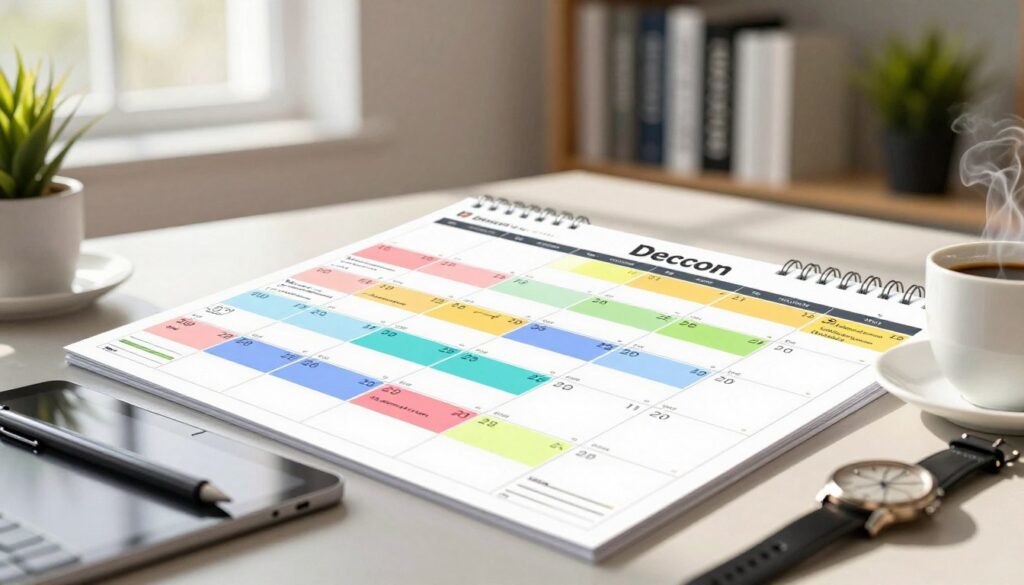
Block non-negotiables first
Put meetings, lunch, school pickups, and appointments on the calendar first. These anchors show which slots are unavailable and force realistic planning for the rest of the day.
Place deep work around peak energy
Schedule a deep work block when attention is strongest. For example: a one-hour email slot at 9am, a project block from 10:00–11:30, then lunch at 11:30. Protect those hours with a busy status.
Set communication windows and short resets
They should set aside 1–3 short windows for emails and messages rather than checking all day. Add brief breaks between heavy blocks to reset focus and reduce fatigue.
- Anchor the non-movable items.
- Place deep work where energy is highest.
- Reserve email windows and short breaks.
- Protect focus with Do Not Disturb or busy status.
- Keep the plan flexible—move a block if a meeting shifts.
Hãy bắt đầu từ những việc nhỏ: block only the next day, then expand to weekly once the routine feels natural. For a compact how-to, see this step-by-step guide.
Time blocking vs. timeboxing vs. time tracking
Which system fits a role best depends on whether work is predictable, creative, or billed by the hour. Below are clear definitions and practical rules to choose the right approach for tasks, projects, and billing.
Clear definitions to pick a method
Time blocking assigns a single slot to a set of related tasks or a category of work, like “Review design feedback.” It suits batched work and steady routines.
Timeboxing gives each task a strict start and stop. Use it when a hard limit forces progress and fights perfectionism or scope creep.
Time tracking records actual minutes spent on projects, often for billing or retrospective planning.
When to use each way
- Time blocking works best for predictable routines and grouped tasks where one block covers many small things.
- Timeboxing fits where tight constraints matter and a task needs a clear end to prevent overwork.
- Time tracking becomes cleaner when a visible schedule shows intended effort for project billing and reporting.
“If flexibility inside a slot is important, choose a block. If firm limits matter, choose a box.”
Mẹo hữu ích: combine methods—block the day on a calendar, then timebox a single tricky task inside a focus slot. Always update the calendar when plans shift so tracking and billing stay accurate.
Examples of time blocks for common workdays and weeks
A few practical examples show how a repeatable schedule protects focus while keeping meetings and admin contained.
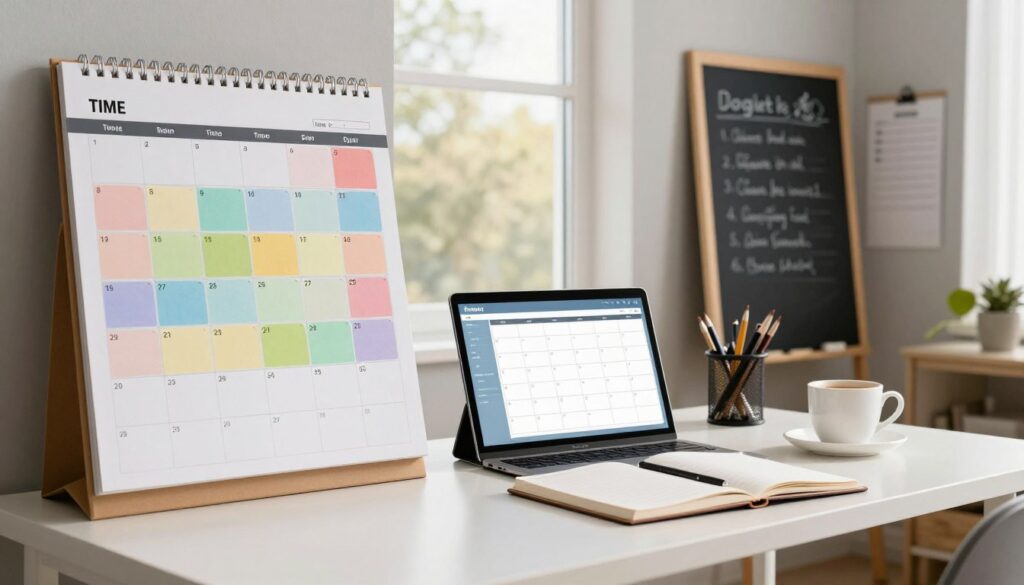
Sample morning: focus first
Example: start with a short email triage at 9am, then a 10:00–11:30 deep work block for the day’s top deliverable.
Finish with a five-minute reset to clear notes and adjust the next block.
Mid-day meeting window
Cluster meetings into a single block around midday. This keeps the rest of the day clear for execution and lowers context switching.
Afternoon batching for small tasks
Use one afternoon block for follow-ups, emails, and admin so small tasks don’t splinter attention.
Weekly review and planning
Add a weekly review block at week end or Monday morning to refine priorities, rebalance blocks, and set goals for the next week.
- Managers: expand meeting blocks.
- Individual contributors: extend focus blocks.
- Adjust: track friction where blocks overrun and correct the next week.
“The best schedule is the one they can repeat — examples are starting points, not rules.”
Tools and integrations that make time blocking easier
Good tools can turn a messy day into a clear schedule. Start with familiar apps so setup is fast and adoption is simple. A lightweight change works better than a heavy new system.
Simple calendars and smart helpers
Google Calendar Và Outlook let people block time fast and share availability with a team. They are a low-friction place to start scheduling deep work and meetings.
Automation that defends focus
Clockwise Và Reclaim automate rearranging to create longer work stretches. These automation helpers find contiguous blocks so people can focus without manual reshuffling.
Integrations with Slack and CRM systems
Linking a calendar to Slack creates gentle reminders when a communication window opens. Connecting with CRM systems helps sales and SMBs slot follow-ups directly into the schedule and keeps customer work tied to project goals.
How AI helps
AI can suggest focus windows based on patterns, summarize meetings, and speed up follow-ups. Tools like Salesforce AI can create call summaries and recommend send times, saving note-taking and small admin.
- Mẹo nhanh: start with simple tools they already use.
- Warning: let automation serve priorities—mark deep work as non-movable when needed.
- More tools: compare options with a trusted roundup like the best time-blocking app.
“The best tools are the ones the whole team keeps using every week.”
Common time blocking mistakes and how they adjust without giving up
Even smart planners sabotage their day when they pack every slot and forget buffers. A calendar that leaves no margin collapses at the first interruption. The fix is simple: add planned breathing room so one change does not wreck the whole plan.
Overfilling the calendar and leaving no room
Mẹo: reserve short buffer slots between blocks. These absorb overruns and urgent requests without cascading changes across the schedule.
Misjudging energy and task fit
When hard work lands in low-energy hours it drags. Swap deep work into peak windows and move light tasks to low-focus parts of the day.
Meetings fragment the day
Scattered meetings create a “swiss cheese” schedule. Group them into a single block so longer focus windows remain intact.
Protect focus and iterate
Use Do Not Disturb, mute notifications, and set a clear calendar status during focus blocks. Then run a weekly review to tweak lengths and keep the system realistic.
“A disrupted block is not failure—moving it is part of keeping control of priorities.”
Phần kết luận
A few deliberate calendar entries can protect focus and help goals move forward.
Time blocking turns priorities into a workable plan and gives people more control over each day. Protect focus, group similar tasks, cluster meetings, and add buffers so the plan survives interruptions.
Start small: schedule one day first, then expand into a weekly template once durations and rhythms are clear. Include short personal blocks—breaks are part of sustainable work, not optional extras.
Simple next step: pick tomorrow’s top tasks, place them into clear calendar slots, and label each block. Keep the system flexible—plan, review, and iterate week after week.
Small changes, steady habit, better results.

 Vietnamese
  English
  Spanish
  French
  Italian
  Romanian
  Indonesian